 Indicator & strategies · TradingView
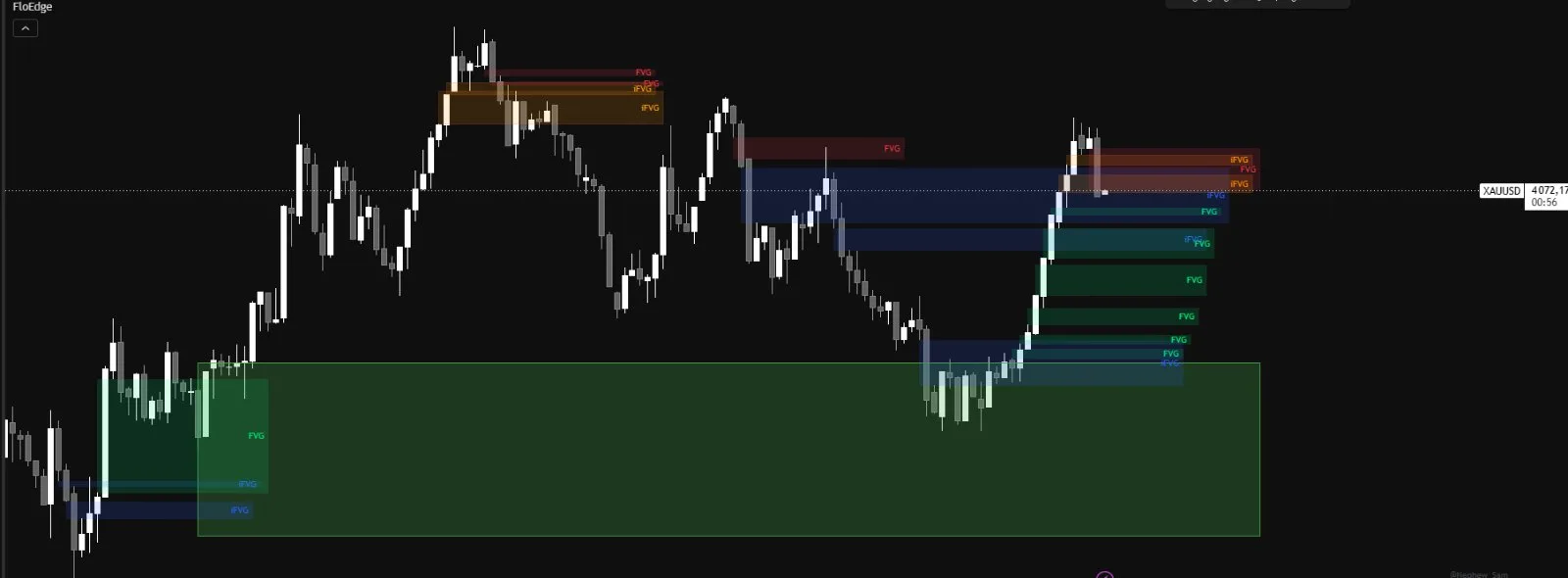
S/R zones where gold has already reacted, drawn automatically.
FloEdge automatically draws your support and resistance zones on TradingView and removes any that price breaks on a candle close. Use the indicator to run your own analysis, or the strategies to follow clear signals.
- Payment through TradingView at launch
- Indicator and 4 strategies included
- Coming soon to the TradingView Marketplace
Payment through TradingView at launch · updates included · no commitment
How it worksFrom payment to your chart
in three steps
All 5 FloEdge scripts are “invite-only” TradingView scripts. There’s nothing to install: your account is simply added to the access list.
As of October 27, 2026, the 48-hour free trial is no longer offered on flotrade.fr.
All included,
coming soon as a TradingView subscription.
TradingView
One subscription, everything included
The FloEdge indicator and all 4 strategies, updates included. Coming soon to the TradingView Marketplace, right from your account.
- ✓Payment through TradingView at launchTradingView will collect the payment: your card or bank details will never pass through flotrade.fr.
- ✓Access activated automaticallyAll 5 scripts will appear in your TradingView account as soon as you subscribe, with no waiting.
- ✓No commitmentCancel anytime from your TradingView account settings.
The indicator and all 4 strategies are already published on TradingView, as invite-only scripts: FloEdge Indicator · FloEdge S/R · FloEdge FVG/iFVG · FloEdge VWAP · FloEdge Scalp
Follow FloTrade on TradingViewAs of October 27, 2026, flotrade.fr no longer sells access or offers free trials.
TradingView is a trademark of TradingView, Inc. FloTrade is not affiliated with TradingView.
My trades,
day by day
Every day, screenshots of the gold trades I take with the FloEdge strategies: winners and losers alike.
Who is
behind FloTrade?
I’m Florent, and I’ve been trading XAUUSD for 3 years. Like many of you, I used to waste a lot of time drawing my S/R zones by hand — and they were often imprecise.
It was while looking for a tool that could draw Support & Resistance zones automatically that I decided to build one myself. FloEdge is the indicator I personally use every day on my TradingView charts.
This isn’t a tool sold by an agency. It’s a tool built by a trader, for traders — with a single obsession: drawing only the levels that really matter.
What people ask me
before subscribing
What does the subscription include?
Do I need a paid TradingView plan?
Is there a free trial?
How do I get access to FloEdge?
Do the strategies place orders with my broker?
Does it work on markets other than gold?
Can I cancel my subscription?
Have a question?
I reply within 24 hours.
support@flotrade.fr